Case study 01 / AI-assisted product direction
SharePoint Builder
Designing an intent-first, conversational system to plan, customize, and configure SharePoint sites from natural-language inputs. I led design from vision through private preview, partnering with PM, engineering, and research to shape the interaction model and AI behavior.
- Year
- Q4 2025–Q1 2026
- Role
- Lead designer
- Team
- PM, Engineering, Research, Prompt Engineering, Partner design teams
- Delivery
- V1 private preview
The challenge
SharePoint is powerful, but building a useful site traditionally requires people to understand the platform before they can make meaningful progress.
Templates, pages, lists, libraries, permissions, and the authoring model all introduce decisions before users have even worked out what they need.
Research showed the consequence clearly: 83% of builders reported abandoning a site during creation.
The opportunity was to change where people started—from “How do I configure SharePoint?” to “What am I trying to achieve?”


The goal: from configuration to intent
We reframed site creation around a simple model:
Intent → Plan → Build
Users describe what they want in everyday language. The agent helps them think through the solution, turns that conversation into a structured plan, and gives them a chance to understand and change it before anything gets built.
Early research showed that people wanted guidance as well as faster generation. They wanted AI to help while keeping them in control.
That led to three principles that stayed with us throughout the project:
Protect from complexity
Expose SharePoint mechanics only when they're useful.
Maintain momentum
Keep planning lightweight and easy to move through.
Plan like an expert
Help people improve the brief, rather than simply execute it.
Designing the Builder
I designed the experience around a simple loop: Describe → Plan → Visualize → Build → Refine
My focus spanned the initial idea, planning, and building. The central question was how people & AI should work together throughout that process.
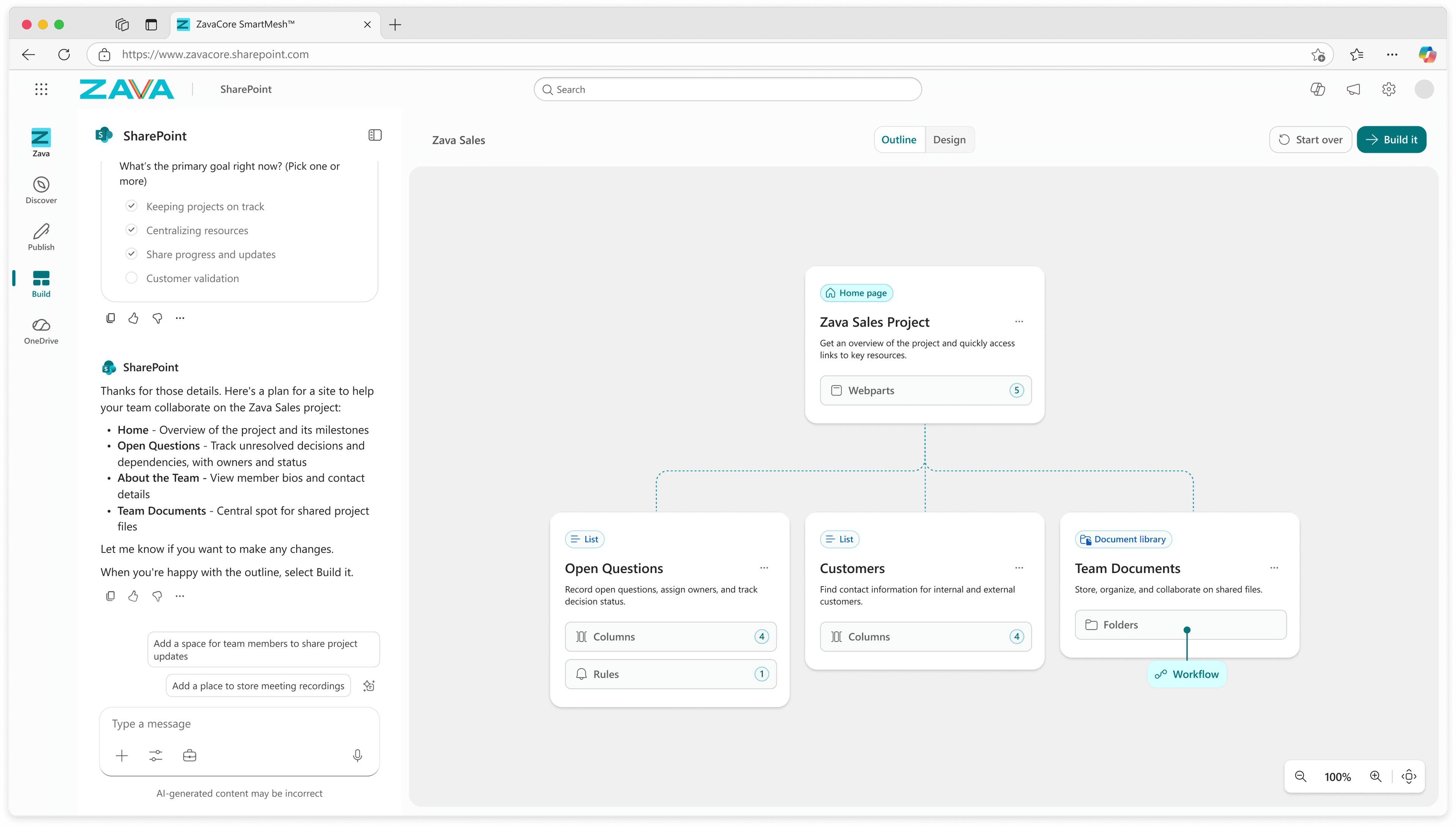
Chat for intent. Canvas for structure.
Chat was useful for expressing intent, asking questions, and working through ideas. But conversation alone wasn’t enough to understand an entire site.
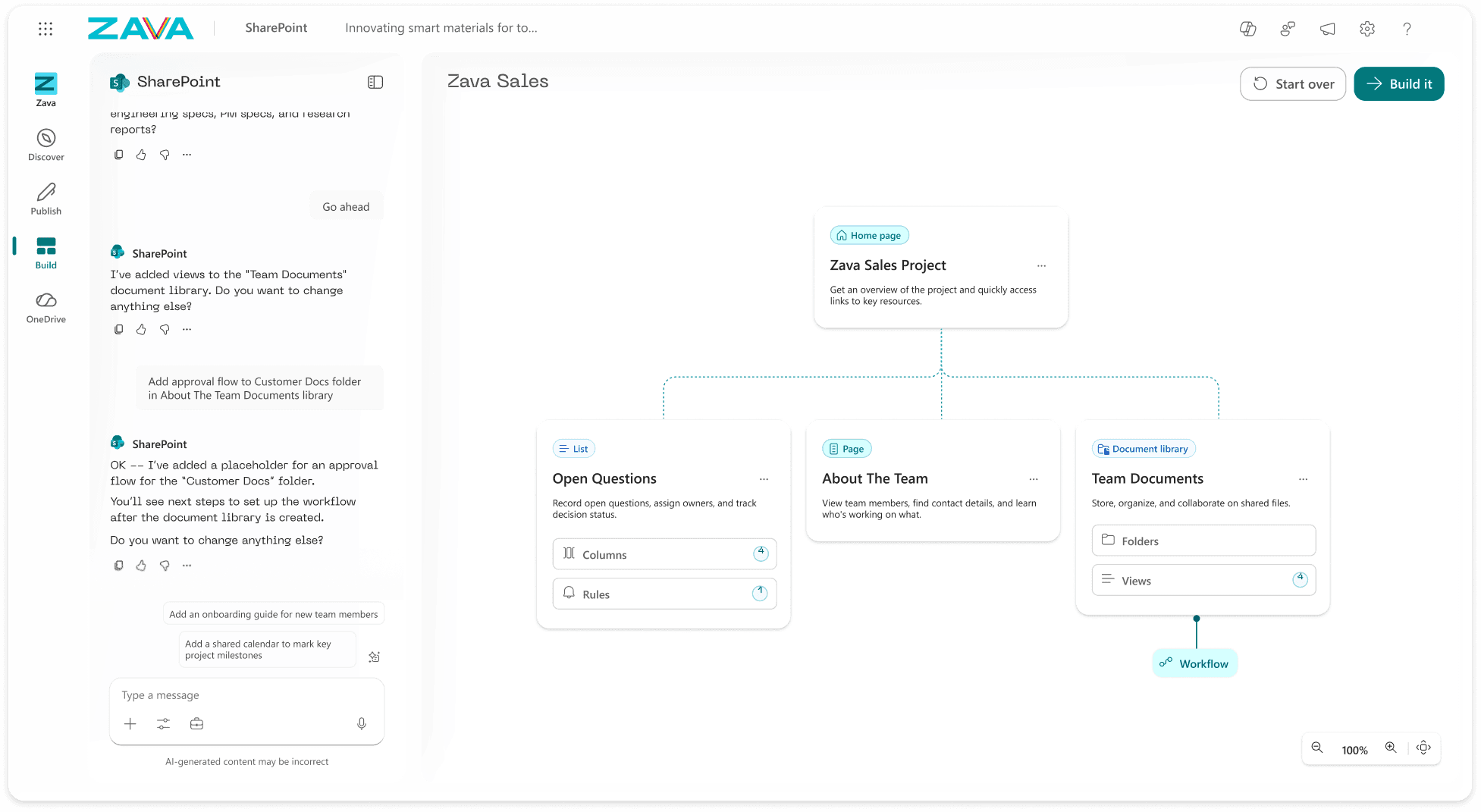
We paired chat with a visual canvas representing the same underlying plan.
The vision had two connected views:
- Outline made the site structure visible and editable.
- Design showed what that structure could become as a site, with limited direct editing.
Users could move between them depending on whether they needed to understand structure or appearance.
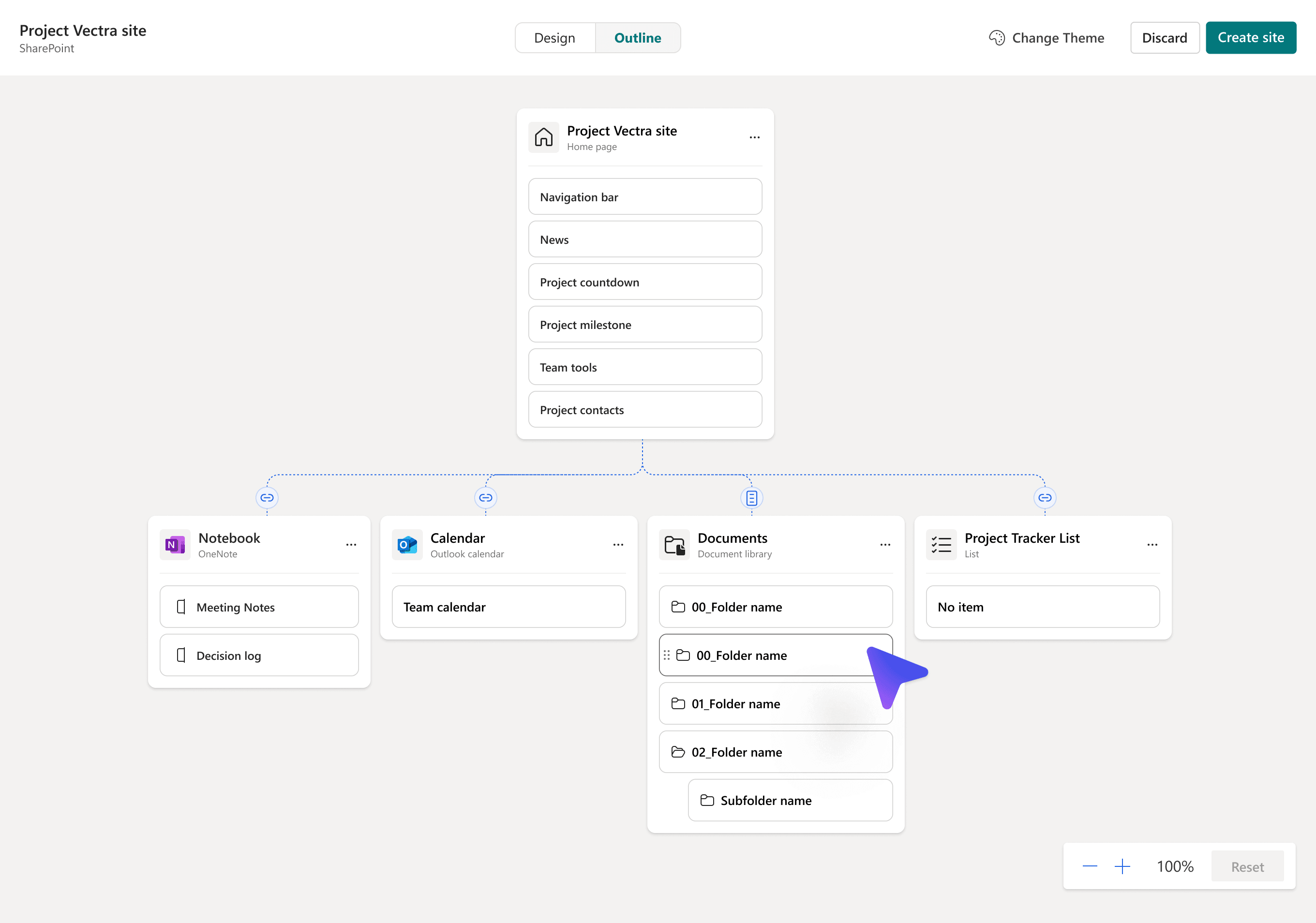
Make the structure clear without exposing the complexity
Once we decided the canvas needed an Outline view, the next question was how much SharePoint structure to expose.
Showing too much would recreate the complexity we were trying to remove. Hiding too much would prevent users from understanding or changing what the AI intended to build.
I explored different ways of representing the structure, then reduced it to the information people needed to make meaningful decisions.
The result was a sitemap-like Outline showing pages, lists, libraries, and their relationships before build.
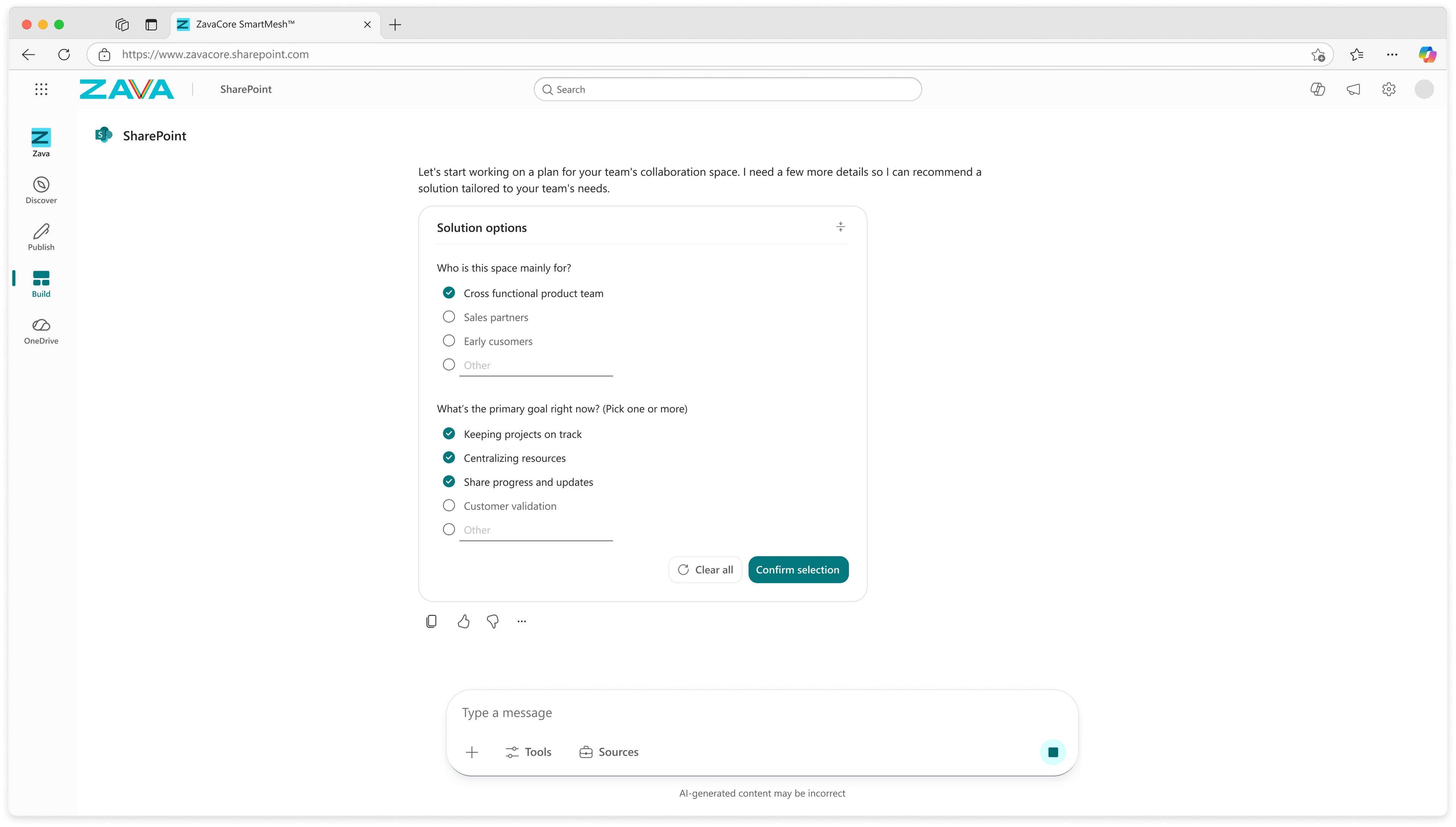
Guide users from an idea to a plan
The interface was only one part of the product. The agent itself shaped just as much of the experience.
We had to decide:
- What should it ask?
- When should it guide versus act?
- How much information should it give?
- What makes a generated plan good?
The conversation began with broad questions to clarify users’ goals and expectations. The agent then proposed a site structure for review before users explored the site’s appearance in Design view.
This gave users a way to develop their brief and assess the proposed solution before committing to a build.
Before prompt iteration
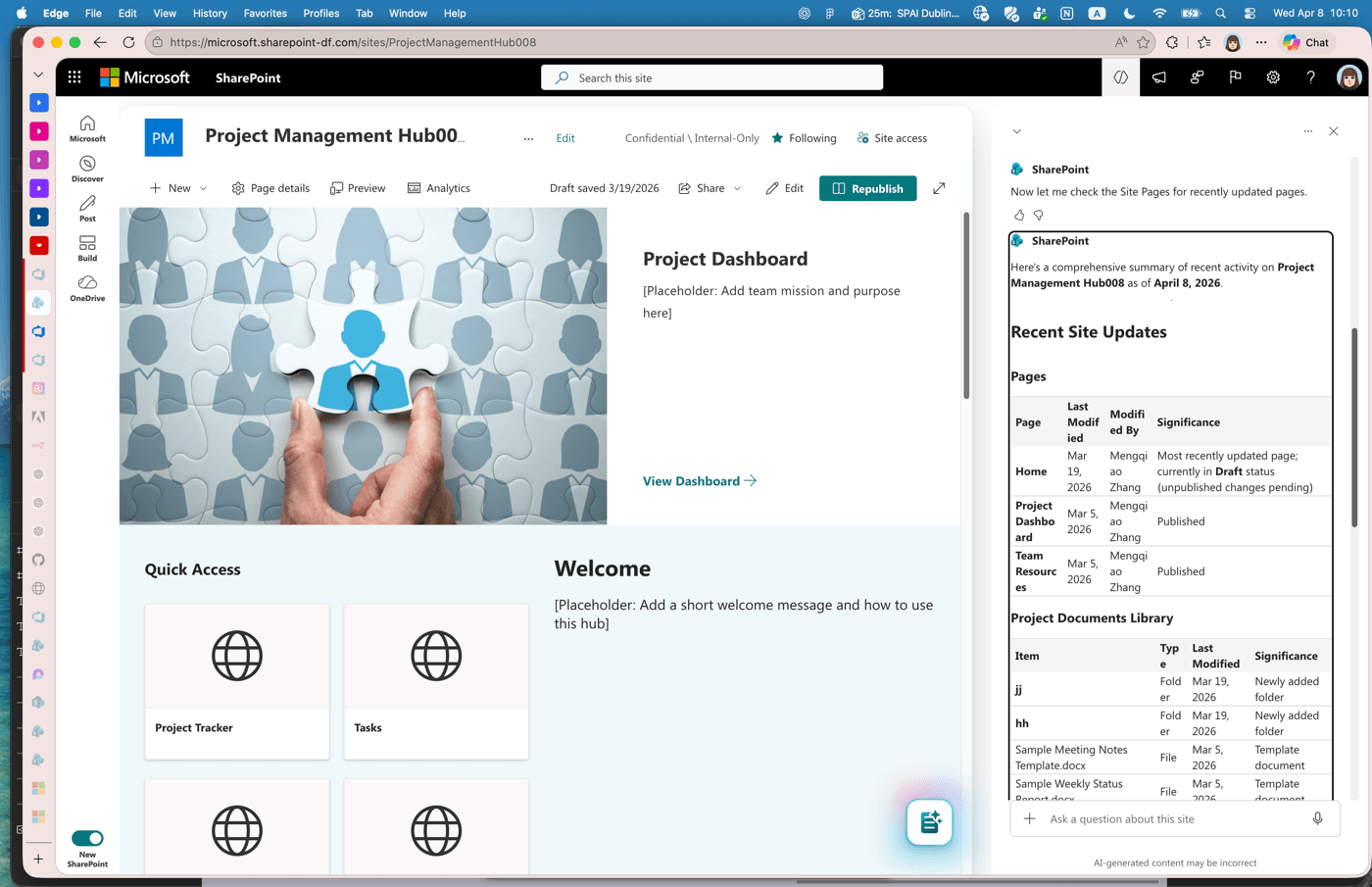
After prompt iteration
I partnered closely with Prompt Engineering to translate our UX principles into AI behavior, review model output, participate in evaluations, and iterate when the system behaved differently from what we intended.
This gave Design, Product, and Prompt Engineering a shared way to discuss quality: Was the interface working well, and was the AI behaving well?
It also expanded the design surface beyond screens and interactions into the behavior of the system itself.
Bringing the vision into private preview
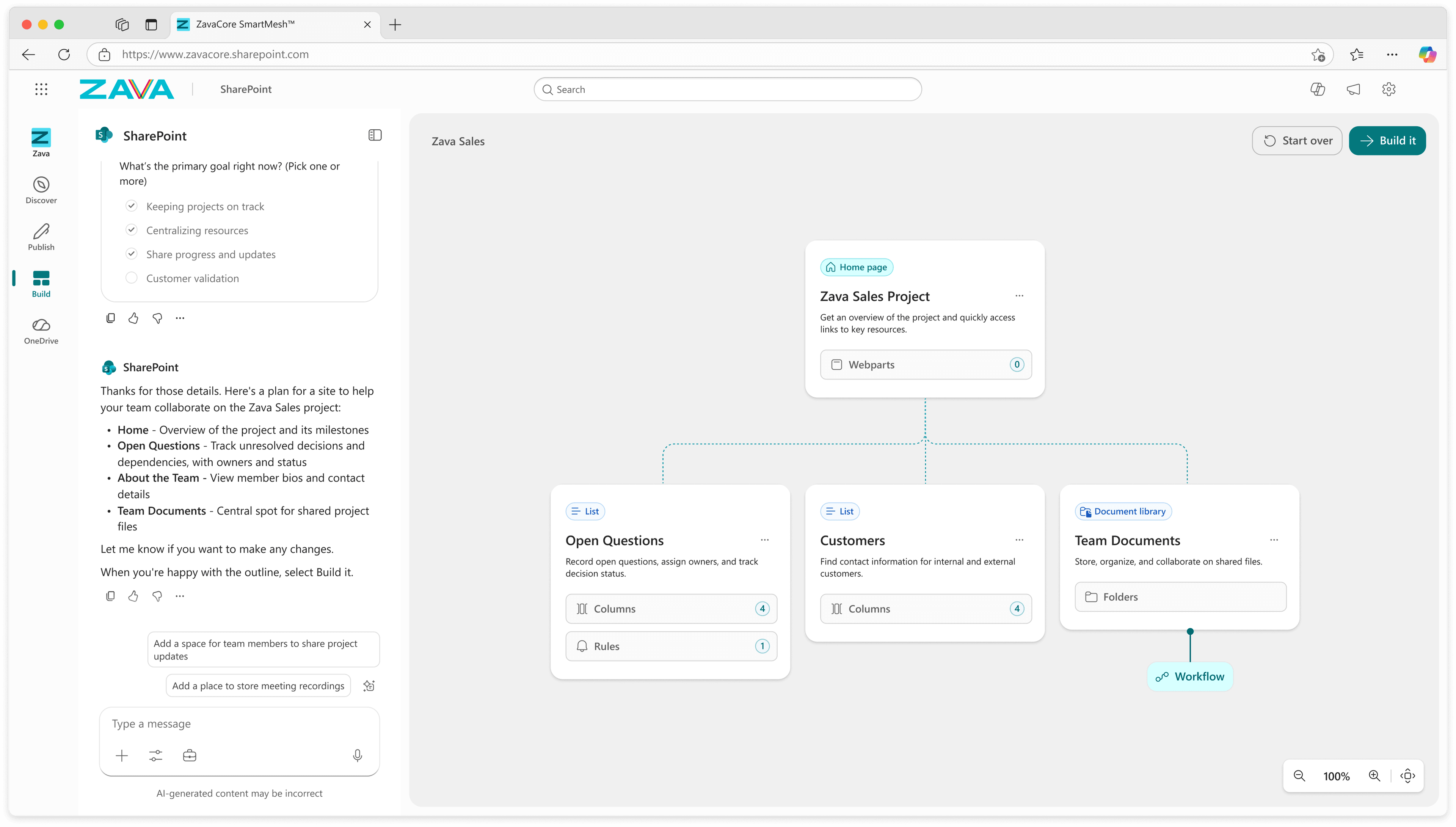
V1 release
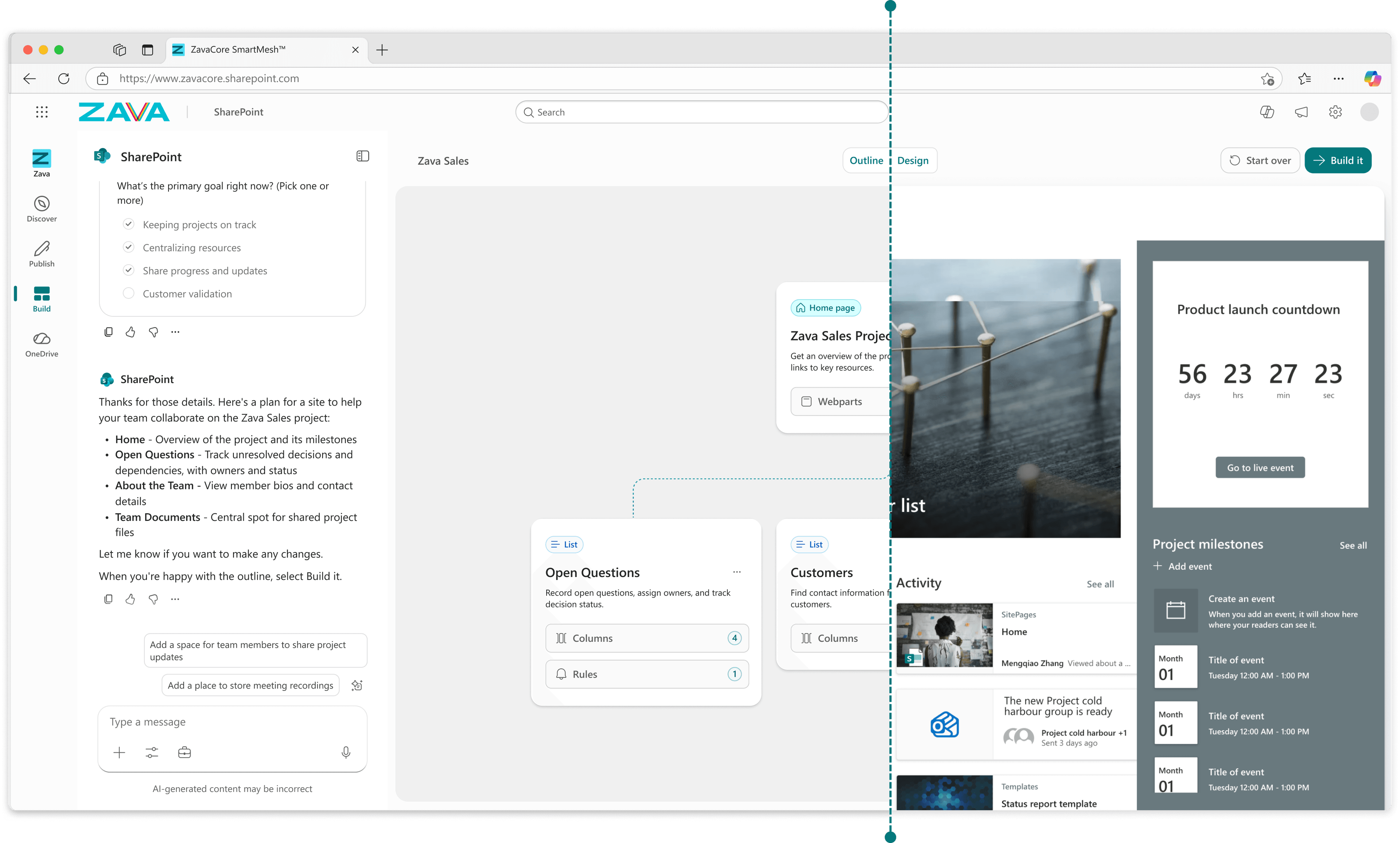
Vision design
Ship Outline while preserving the case for Design View
Our original vision gave users two connected ways to understand their plan: Outline for structure and Design for seeing what the site could become.
As the architecture changed, it became clear that Design view couldn’t ship in V1. That raised a product question: Was Outline alone enough?
I used the research opportunities we still had to test that assumption.
Outline worked well for many users, but others reached a point where they didn’t feel confident proceeding without seeing what the site would become. Research also suggested that visualization was most valuable during planning, rather than simply as a final check afterwards.
We shipped V1 with Outline only. The evidence helped preserve Outline ↔ Design as the longer-term direction, keeping the need for visualization visible through the technical cut.
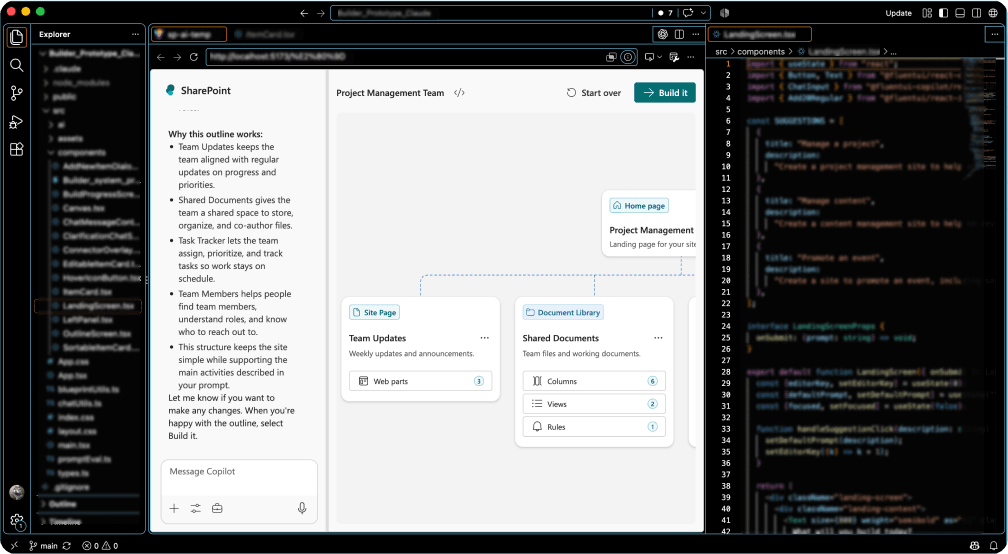
Polish design in prototype
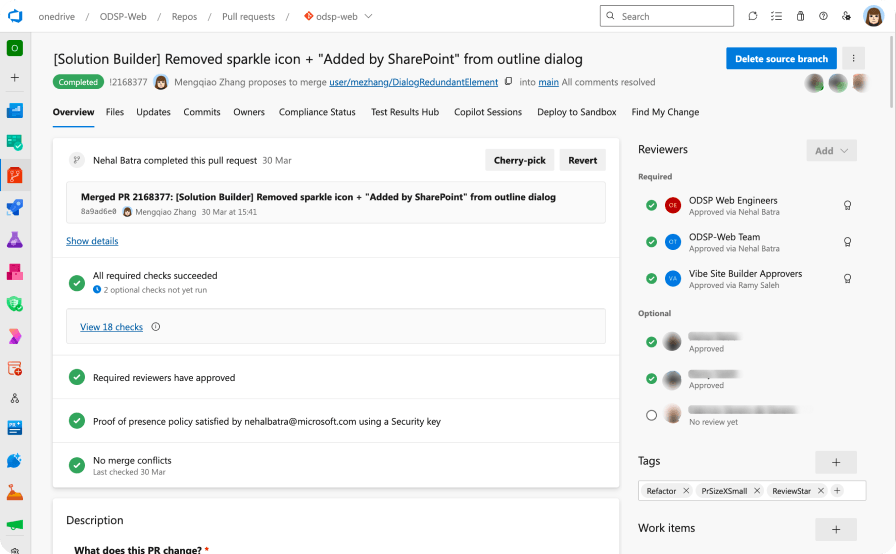
Fix UI bug to improve craft quality
Close the gap between design and implementation
As the Builder moved closer to private preview, my focus shifted from defining the experience to making sure the real product lived up to it.
The team had been solving difficult architecture and performance problems, and some interaction details had drifted from the intended experience. An Experience Review made those gaps visible: the product was judged not ready.
I worked with engineering to:
- Separate design problems from implementation problems.
- Prioritize the experience issues that mattered most.
- Clarify intended behaviors.
- Use interactive prototypes when static designs weren’t enough.
- Directly fix small, bounded UI issues when appropriate.
AI coding tools also let me prototype interactions using the same components engineering worked with. Working behavior became a more direct way to communicate details that static specifications left open.
Outcomes and reflection

What private preview validated
The Builder shipped into private preview, moving SharePoint site creation toward an intent-first experience: describe, plan, review, then build.
Early validation supported the core direction:
- ██% preferred Plan before generation.
- ██% average AI-quality evaluation score at rollout readiness.
- ██% site-creation success during preview.
The product progressed from ██% to ██% of First Release tenants in five days. In Maker Days, experienced users highlighted planning as a standout part of the experience, with some workflows dropping from hours or days to minutes.
The product was still in preview when I left, so long-term adoption and abandonment impact were not yet mature. Early evidence supported the core direction: helping users plan, understand, and stay in control before committing to a build.
Influence beyond the Builder
A new SharePoint representation
The Outline introduced a new way to visualize a SharePoint site before it exists. What started inside the Builder is becoming a reusable representation that can support other SharePoint experiences.
A new way of working
As AI changed what was possible, I experimented with workflows across Figma, prototypes, evaluations, and production code, brought the team along, and established more direct ways for Design and Engineering to work together.
Contributions to shared patterns
I partnered with the Design System team on emerging AI patterns and contributed what we were learning from the Builder back into the broader system. I also created guidance used by teams building scenarios on top of the Builder.