Case study 02 / Enterprise product redesign
Teams for Frontline
Reimagining Microsoft Teams Shifts to help frontline managers spend less time scheduling & more time supporting their teams. I led the full design process, shaping the experience vision & early releases, collaborating with PM and engineering to align fixes & platform goals.
- Role
- Product designer
- Year
- April–June 2024
- Team
- 2 PMs · 9 engineers
Research & design collab. - Delivery · June 2024
- Onboarding — private preview
Excel import — GA
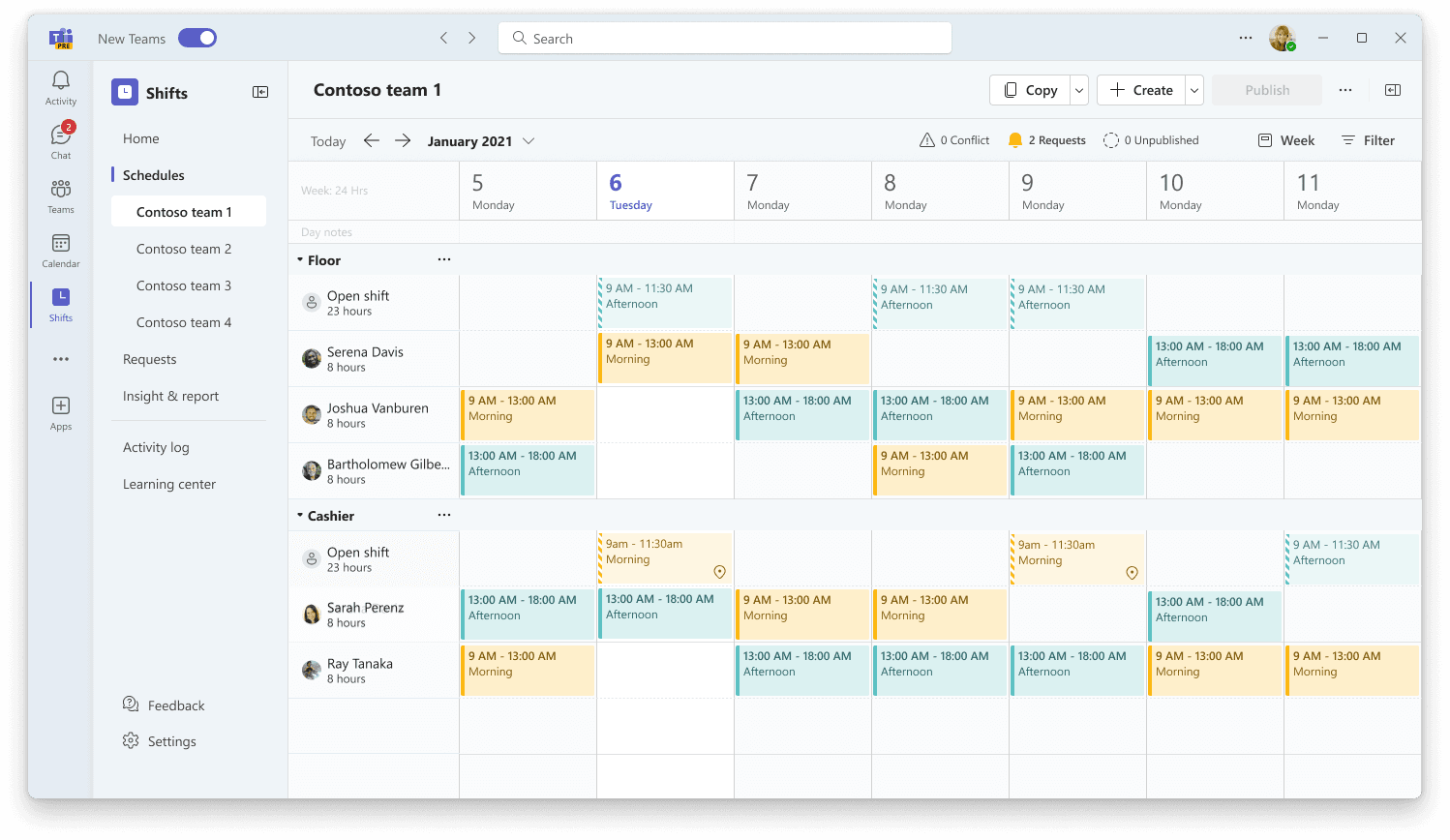
Shaping the vision and first releases
For this project, I connected the broader redesign to decisions the team could act on—from defining requirements to scoping releases.
- Connected the workflow.
I initiated a shared manager–worker journey that informed Shifts epics and other frontline teams’ designs. - Helped prioritize the first release.
Customer feedback led us to choose onboarding ahead of a calendar refresh with similar engineering effort. - Carried design through technical constraints.
I partnered with engineering to scope Excel import while preserving essential feedback for users.
The challenge
Frontline managers spent hours managing schedules across disconnected views. They switched between teams to check requests, assembled filters to understand staffing coverage, and handled much of the planning manually.
Getting started was another hurdle. Some customers created their own documentation or arranged training before employees could use the app.
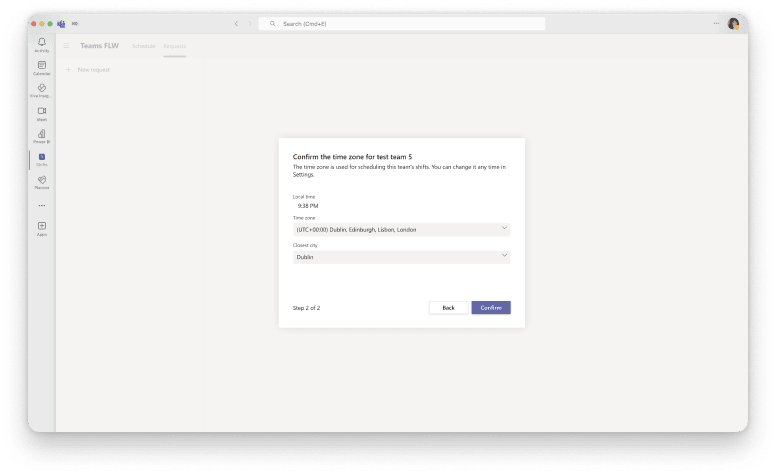
New managers struggled to get started
Not quite sure what should I do first... Where do I start to get my team’s schedule in?
- Customer interview
The product had also accumulated custom components that differed little from existing Teams components but created significant performance and maintenance problems. The UI refresh needed to bring Shifts back into the Teams design system, keeping custom components where scheduling needs justified them.
We needed to address these problems quickly while establishing a coherent direction for the wider manager experience.
The goal
Strengthen Shifts as part of Microsoft’s frontline offering by making scheduling easier to adopt and less manual to manage.
The immediate priority was to ship improvements addressing customer needs, alongside a broader vision for the manager experience. Each release needed to stand on its own and fit that longer-term direction.
From a shift calendar to a manager’s workspace
Set priorities for a connected manager experience
My evaluation connected problems across user needs, features, interaction, interface, and visual design. The underlying issue was fragmentation: features supported individual tasks without connecting them into a coherent workflow.
Three priorities guided the redesign:
- Organize the experience around managers’ goals and context.
- Simplify schedule creation and provide guidance when needed.
- Use Teams patterns and platform components, reserving custom design for specific scheduling needs.
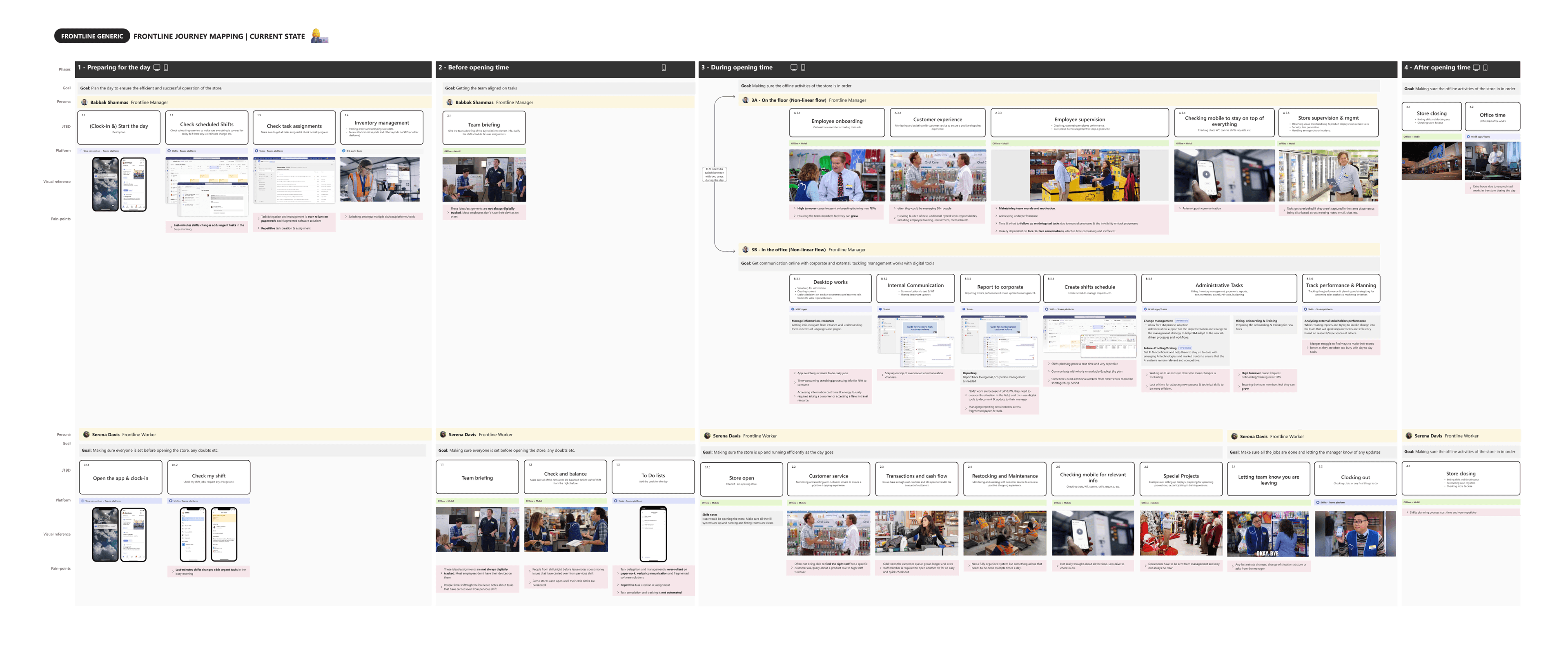
Build a shared journey across frontline teams
I initiated a journey-mapping effort because some gaps extended beyond the features our team owned.
Grounded it in research. I partnered with a researcher, combining new research with existing findings about frontline managers and workers.
Brought other designers along. We connected manager and worker perspectives, and I advocated for the map across frontline teams. The Walkie Talkie designer used it to inform her feature work.
Connected findings to planning. I worked with PM to translate the resulting jobs to be done into Shifts epics.
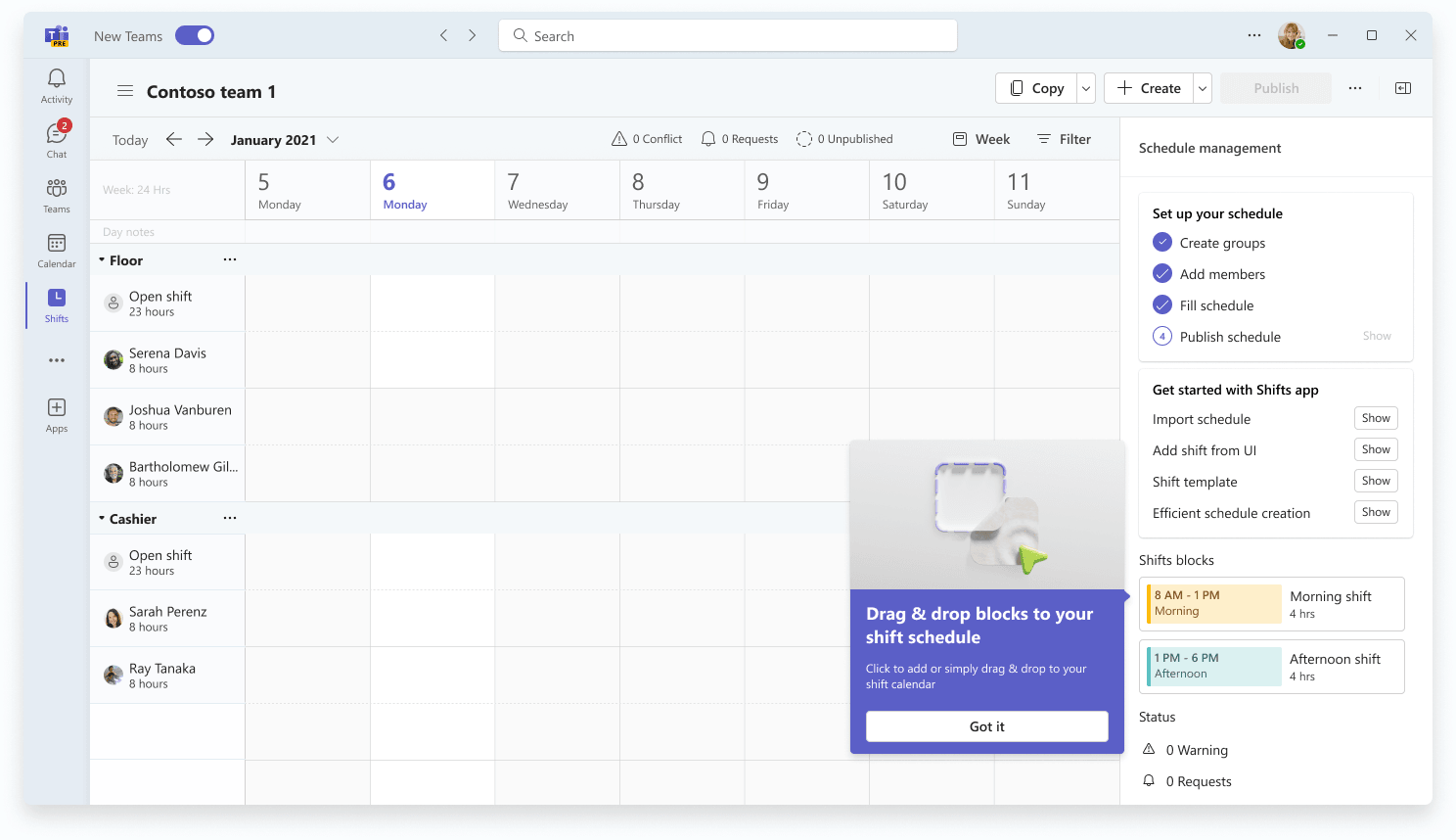
1. Onboarding - Learn while doing the work
My initial design introduced the app through a sequence of instructional steps. Customer feedback challenged that approach: people were unlikely to remember instructions before they needed to use a feature.
I revised the design to minimize initial input and introduce guidance as users navigated to relevant features. I also designed a Learning Center as part of the broader experience, giving users somewhere to return for support.
Sequential
Contextual
Why onboarding came first? Onboarding and a calendar UI refresh required similar engineering effort. To help prioritize, we walked through concepts with four customers we regularly spoke with.
All four responded positively to onboarding. Alongside the burden of customer-created documentation and training, this gave us a directional signal to prioritize it first.
I continued developing the wider redesign alongside the release work.
2. Scheduling - See the work across teams
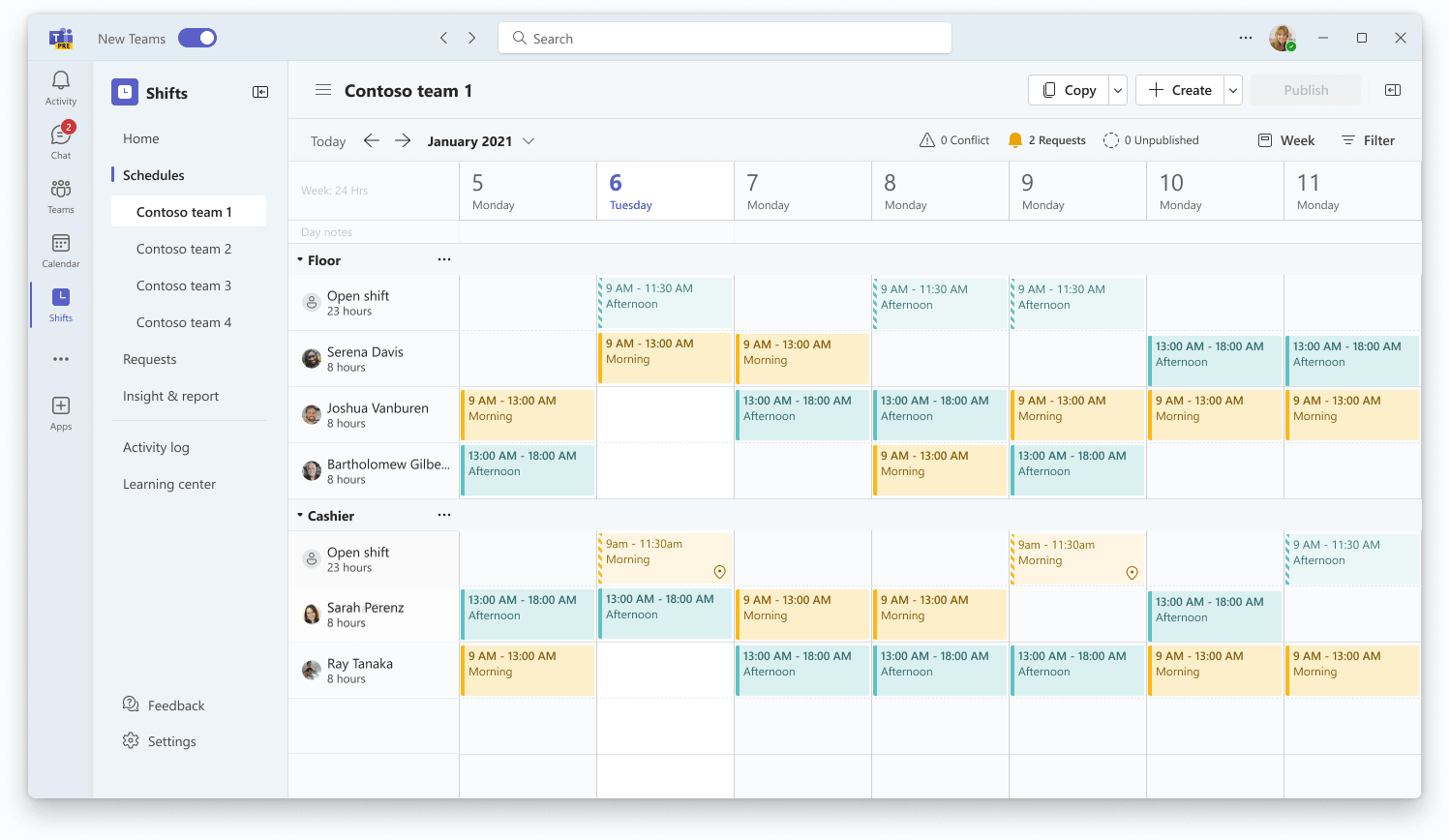
The home view brought team schedules, pending requests, and key information together. Managers could get an overview without opening each schedule individually.
Within a schedule, I brought related controls closer to the work:
- Clearer navigation for switching between teams.
- Consolidated filters for finding the relevant view.
- A schedule-management panel for status, setup, and actions.
Across the vision, I used Teams patterns and platform components wherever possible, retaining custom components where scheduling required them.
Ideal UX
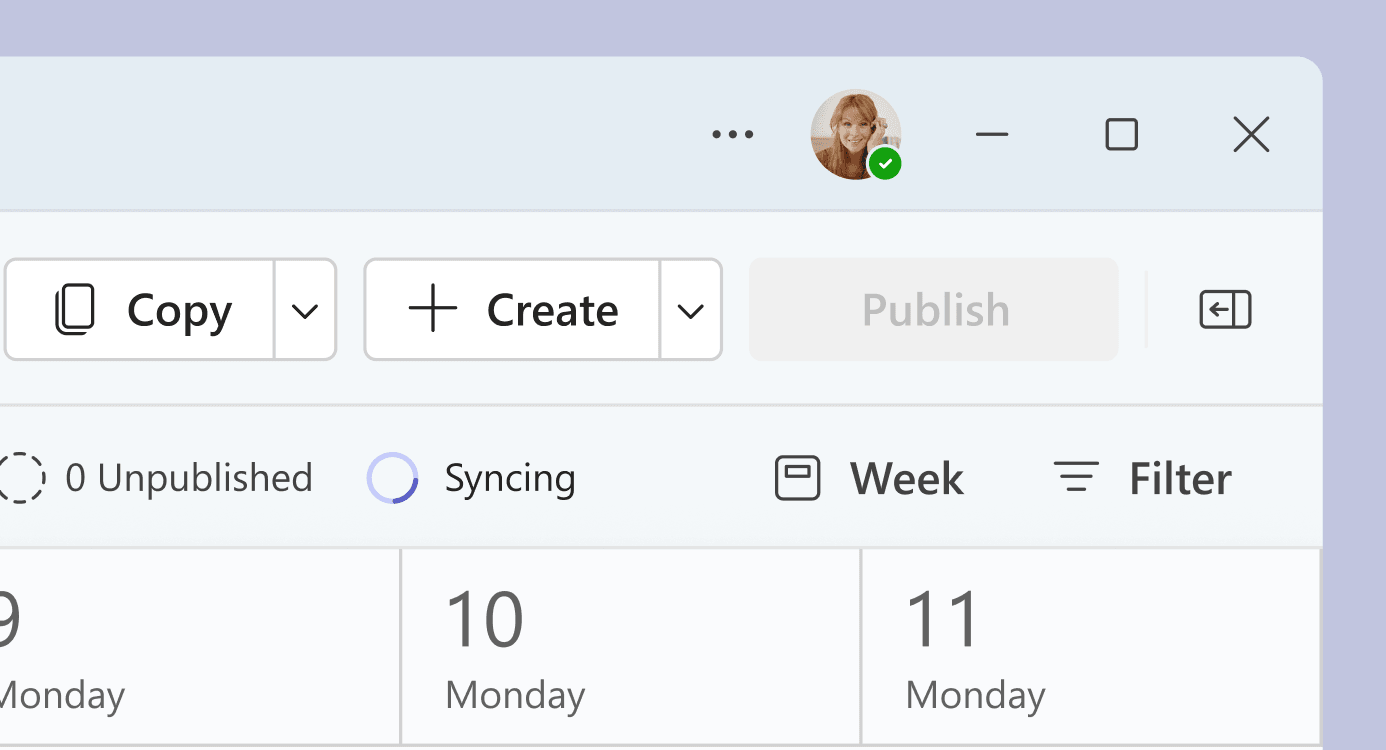
 Only available once implement new page design

Cause performance issue in current app
MVP
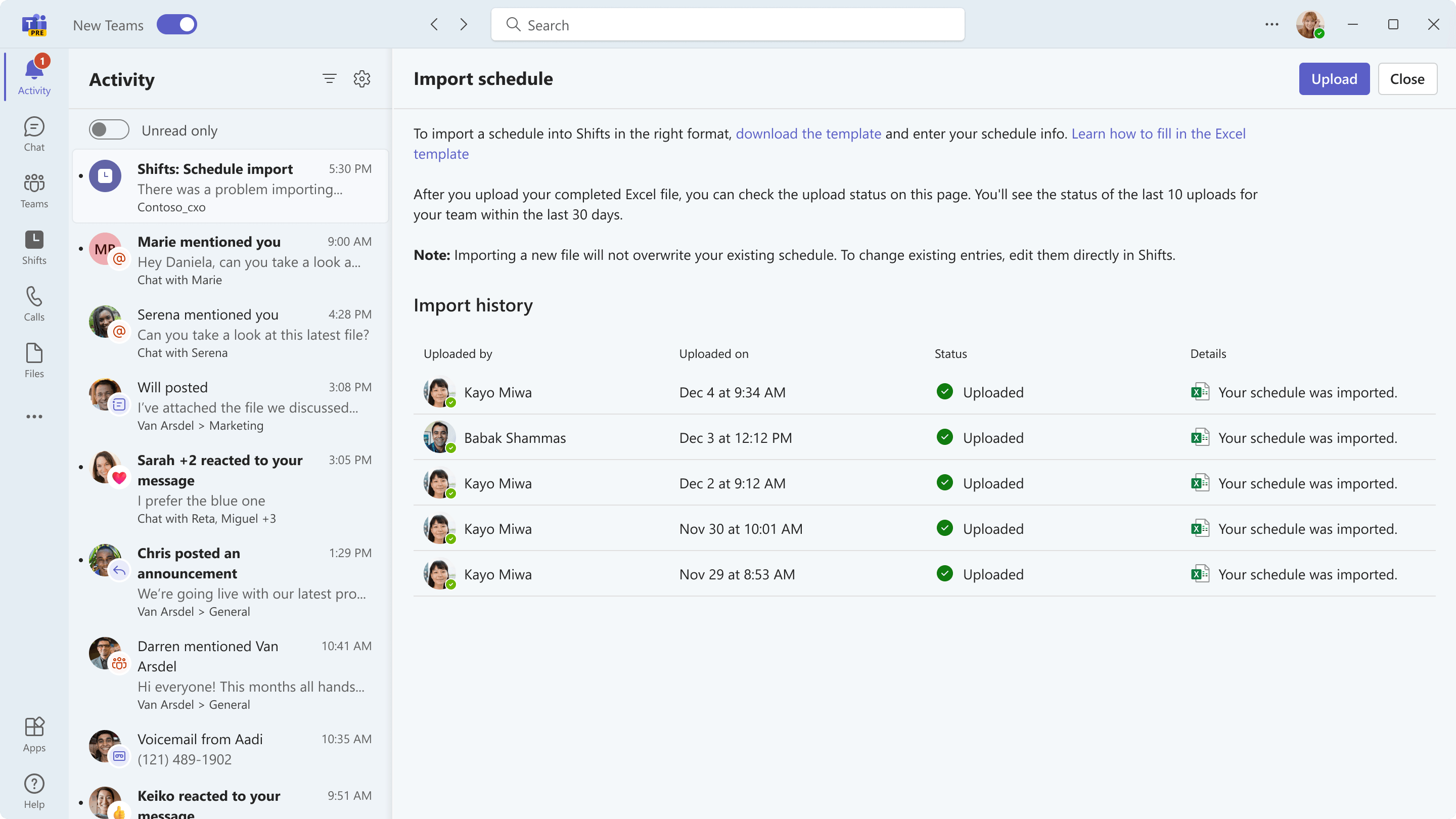

Ship Excel import within the existing architecture
Excel import exposed a concrete delivery constraint. My intended design showed upload status on the main schedule page and live progress during import. The main-page status depended on the larger redesign, while live progress created performance issues.
I worked with engineering to scope an alternative:
- A system notification
reported the upload outcome when users had left the page. - An “In progress” status with a refresh action
let users check manually within the import experience.
Both shipped to GA with Excel import. I also worked with partners to put the deferred capabilities into the work pipeline.
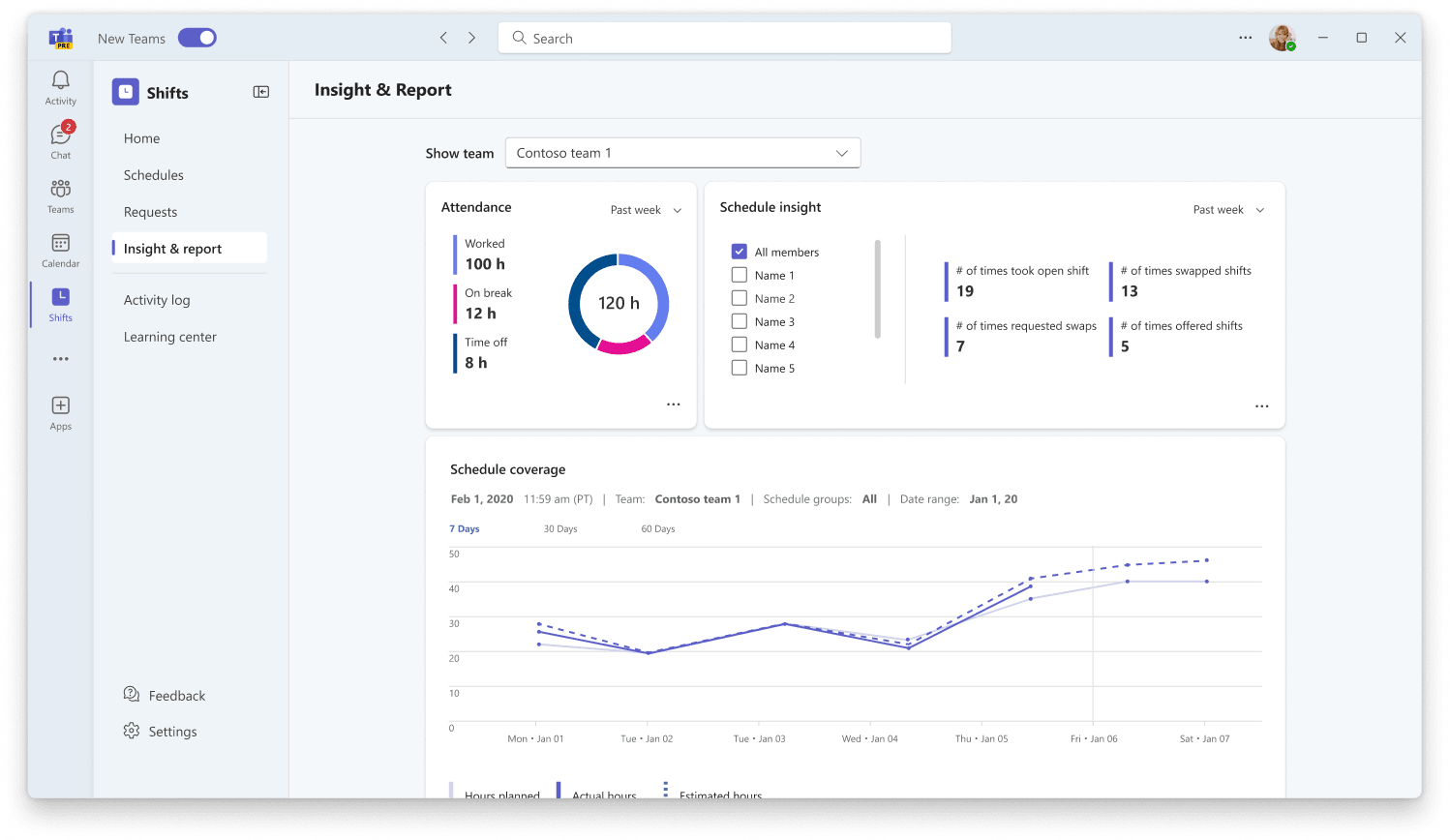
3. Planning - Use staffing data to support decisions
The insights vision brought working hours, attendance, and staffing trends into a reporting view, with filtering and export options.
I also explored AI-assisted suggestions within schedule management, using the app’s data to support planning. The wider journey extended into sharing schedules and shift information with workers through Teams.
These capabilities remained vision work during my time on the project.
Where the project landed
- Onboarding
- Private preview · June 2024
- Excel import
- GA · Notifications and manual-refresh status
I left the project following a reorg. The broader manager workspace, reporting, and AI-assisted planning remained at vision level at that point.
The implementation could be simpler than the vision. It still had to help managers understand what to do next and whether their work had succeeded. That was the thread connecting the first releases to the wider redesign.